
Real Name Authentication
To ensure the security of your account, please complete real-name authentication before using the platform. After completing real-name authentication, you will be able to recharge your account and unlock exclusive benefits such as free access to advanced international models. Enterprise users are advised to avoid using personal authentication to prevent unnecessary disputes caused by personnel changes. If you encounter any issues during the authentication process, please feel free to contact us.
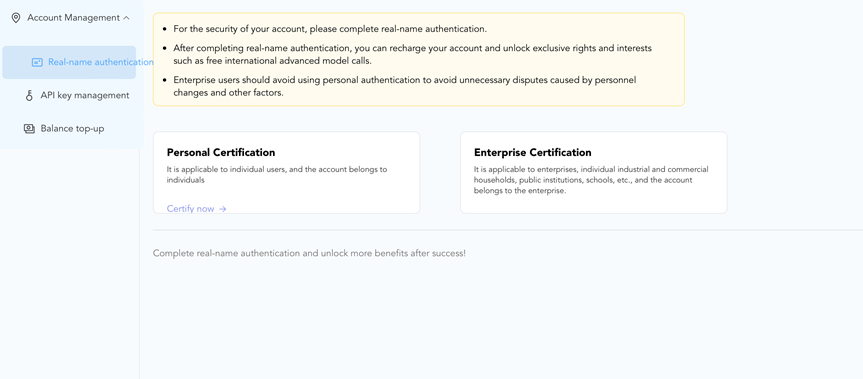
1. Personal authentication
Personal authentication refers to the method of registering an account under an individual's name. After completing authentication, you can enjoy exclusive personal benefits and activities on the platform.
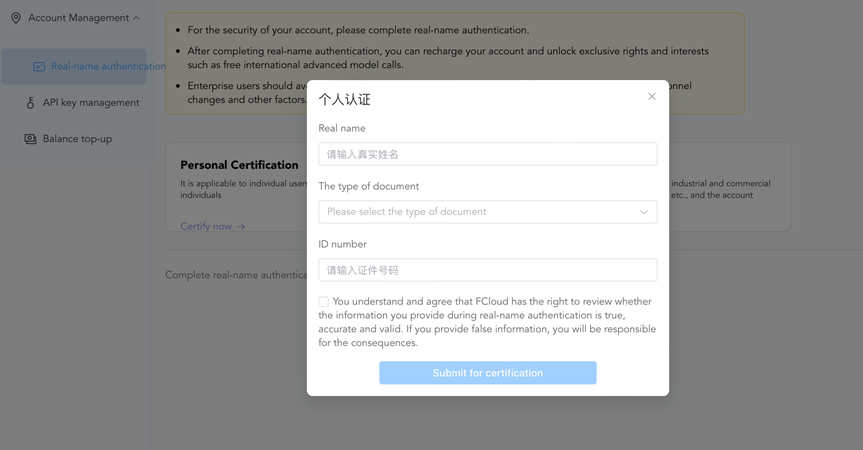
Personal authentication only supports the following types of identification documents:
- Mainland China Second-Generation Resident ID Card
- Hong Kong and Macau Resident Travel Permit to Mainland China
- Taiwan Resident Travel Permit to Mainland China
- Hong Kong and Macau Resident Residence Permit
- Taiwan Resident Residence Permit
- Foreign Permanent Resident ID Card
Mobile Number and ID Association Rules:
- Mobile number usage restriction: One mobile number can only be used to authenticate one account.
- ID association capability: One ID document can be used to authenticate multiple mobile numbers or email addresses, enabling multiple accounts to be bound to the same identity.
Personal authentication process demonstration:
The following demonstrates the authentication process using a personal mobile number as an example.
- Go to the real-name authentication page and click "Authenticate Now" under Personal Authentication.
- In the pop-up panel, enter your name, select the document type, input the document number, and submit the authentication as prompted.
- Return to the real-name authentication page and confirm that the personal authentication status shows "Real-Name Authentication Completed."
2. Enterprise Verification
Enterprise authentication is applicable to enterprises, individual businesses, institutions, schools, etc., and the account belongs to the enterprise.
At present, only business license is limited as the authentication certificate.
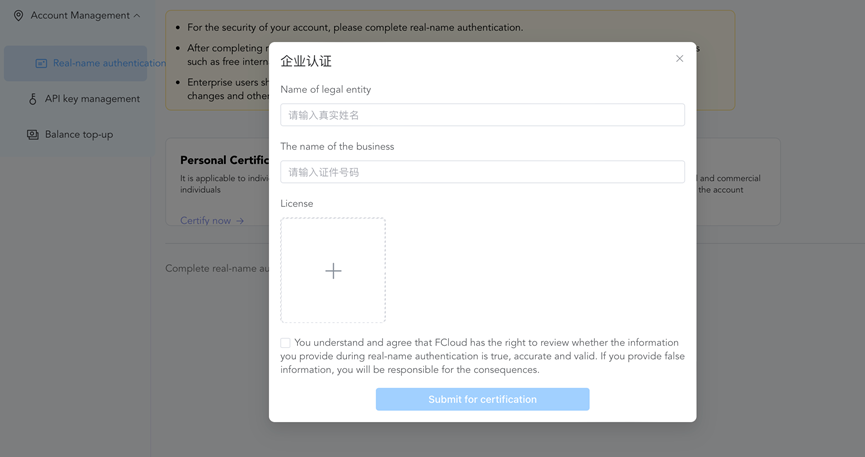
Mobile Number and Business License Association Rules:
- Mobile Number Usage Policy: A single mobile number can only be used to verify one corporate account and cannot be reused for other enterprise verifications.
- Business License Policy: A single business license can verify multiple mobile numbers or email addresses, allowing multiple accounts to be linked to the same corporate entity for unified account management.
Enterprise Verification Process Demo:
- Navigate to the Identity Verification page and click "Verify Now" under Enterprise Verification.
- In the pop-up panel, enter the legal representative's name and company name, upload the business license, then submit the verification as prompted.
- Return to the Identity Verification page and confirm the status displays "Identity Verified".