
Account recharge
View accounts
You can check your available balance and coupons on the account overview page.
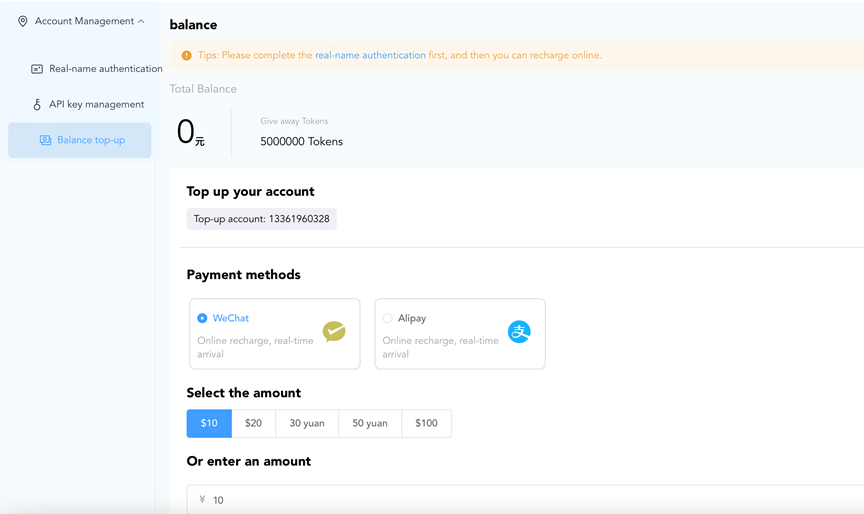
Recharge your account
The Fcloud intelligent computing platform provides two payment methods, WeChat and Alipay, which you can choose as needed.
- Go to the account overview page.
- Select the payment method and complete the recharge.
Alipay Select "Alipay" as the payment method, choose the appropriate amount option or enter a custom amount (the minimum recharge amount is 10 yuan). After clicking "Confirm Payment", a payment window will pop up. Use Alipay to scan the code and click "I have paid" to complete the recharge.
Wechat Select the payment method as "WeChat", choose the appropriate amount option or enter a custom amount (the minimum recharge amount is 10 yuan). After clicking "Confirm Payment", a payment window will pop up. Use WeChat scan code to pay, then click "I have paid" to complete the recharge.
- Check your account balance and recharge history.
- On the account overview page, you can check the available balance to make sure that the recharge has been successful.
- On the bill page, you can view the details of your recharge.